How CleoSocial's Content Ratings Work: G to R, Explained
How do CleoSocial's content ratings work? Every post in your feed gets a movie-style rating — G, PG, PG-13, or R — before you see it. Here is what each...
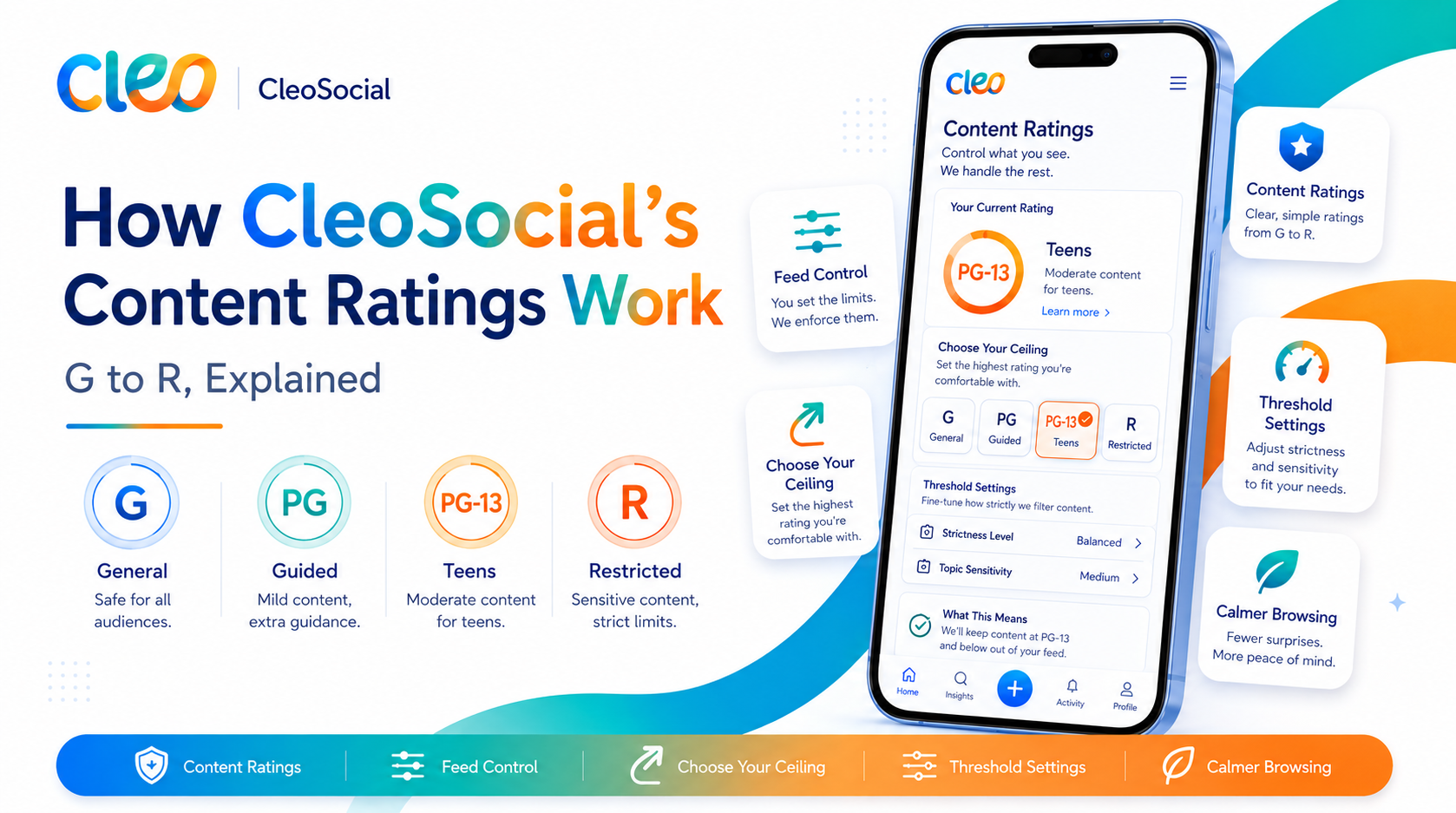
Table of Contents
How CleoSocial's Content Ratings Work: G to R, Explained
How do CleoSocial's content ratings work? The short answer: every post gets a movie-style rating — G, PG, PG-13, or R — before it reaches your feed. You choose the ceiling. Content rated above your ceiling stays out. Content within it comes through with its rating visible, so you always know the vibe before you scroll.
You already trust this system. You have used movie ratings your whole life to decide what you want to watch. CleoSocial applies the same idea to the one place that never asked: your social feed.
This article explains what each rating means, how posts get rated, and how to tune the system so your feed matches your choices.
Why Ratings, and Why Now
Think about how you decide to watch a movie. The rating tells you what you are stepping into before you press play. You make an informed choice, then you watch. Nobody calls that censorship. It is context.
Social media skipped that step entirely. A feed can put a graphic video between a friend's wedding photos and a recipe clip, with no warning and no choice. You did not agree to see it, and you cannot un-see it.
CleoSocial's answer is simple: give posts the same context movies have had for decades. Rate first, then let you decide.
What Each Rating Means on CleoSocial
CleoSocial uses four ratings, modeled on the movie system everyone already understands:
G — General. Everyday content with nothing intense. Friends' updates, hobbies, food, pets, travel, humor that stays light. If a post is rated G, there is nothing in it that needs a heads-up.
PG — Mild. Mostly everyday content with mild elements — light innuendo, mild language, themes that lean a little older but stay tame.
PG-13 — Moderate. Content with real intensity: stronger language, suggestive themes, heated topics, arguments, some news content. Nothing extreme, but not neutral either.
R — Intense. The strongest material: graphic content, violence, explicit themes, and the kinds of posts most likely to ambush you on other platforms. R-rated content is filtered out of your feed by default. If you want it, you turn it on. That direction matters — the intense content is opt-in, never opt-out.
Who Rates the Posts?
Every post on CleoSocial is reviewed by the app's AI rating system, which assigns the rating before the post can appear in anyone's feed.
That order of operations is the core difference between CleoSocial and other platforms. On most social apps, moderation is reactive: content goes live, spreads, and gets reviewed only after enough people flag it. By then, everyone who saw it has already seen it. On CleoSocial, the rating happens first. The review comes before your eyes, not after.
The AI is not a judge deciding what you are allowed to see. Its job is context: this post is a PG-13, this one is a G. What you do with that information is up to you. The rating informs; you decide.
Is the AI perfect? No AI is, and it would be dishonest to claim otherwise. Some posts will land in a gray zone between ratings. But the design direction is what counts: on CleoSocial, a borderline post gets a rating you can see and act on. On other platforms, it gets engagement.
How to Set Your Rating Ceiling
Your rating ceiling is the highest rating you allow into your feed. Setting it takes under a minute:
- Open CleoSocial and go to Settings.
- Find your content rating preferences.
- Choose the highest rating you want to see — G, PG, PG-13, or R.
- Save. Your feed updates from that point on.
A few ways people use it:
- PG-13 ceiling — the most common setup. You see real conversation and real topics, without the most intense material.
- G or PG ceiling — a deliberately calm feed. Some people set this at night or during stressful weeks, then raise it later.
- R enabled — everything, by your explicit choice. The difference from other apps is that you chose it, and every post still carries its rating.
There is no wrong answer. The point is not which ceiling you pick. The point is that you pick.
Ratings Are Not Censorship
This distinction matters, so here it is plainly: a rating is information, not a verdict.
Censorship removes content and removes your choice with it. Ratings do the opposite — they add information so your choice actually means something. An R rating on CleoSocial works like an R rating at the movies: the film still exists, adults still watch it, and everyone walks in knowing what they agreed to.
CleoSocial does not decide what is acceptable for you. It tells you what is coming and lets you set the terms. Your feed, your ceiling, your call.
Ratings Plus Feed Control: The Full Picture
Ratings handle intensity. Feed Control handles everything else.
Alongside your rating ceiling, CleoSocial lets you tune what kinds of content you see more or less of — topics, formats, people. The two systems work together: ratings decide how intense your feed can get, Feed Control decides what it is about.
Between them, the feed stops being something that happens to you. It becomes something you set up — the way you set up a playlist or a thermostat. Tuned once, adjusted whenever you like.
How CleoSocial's Ratings Compare to Other Platforms' Tools
Most major platforms offer something that sounds adjacent to ratings. It is worth being precise about how they differ, because the differences are the product.
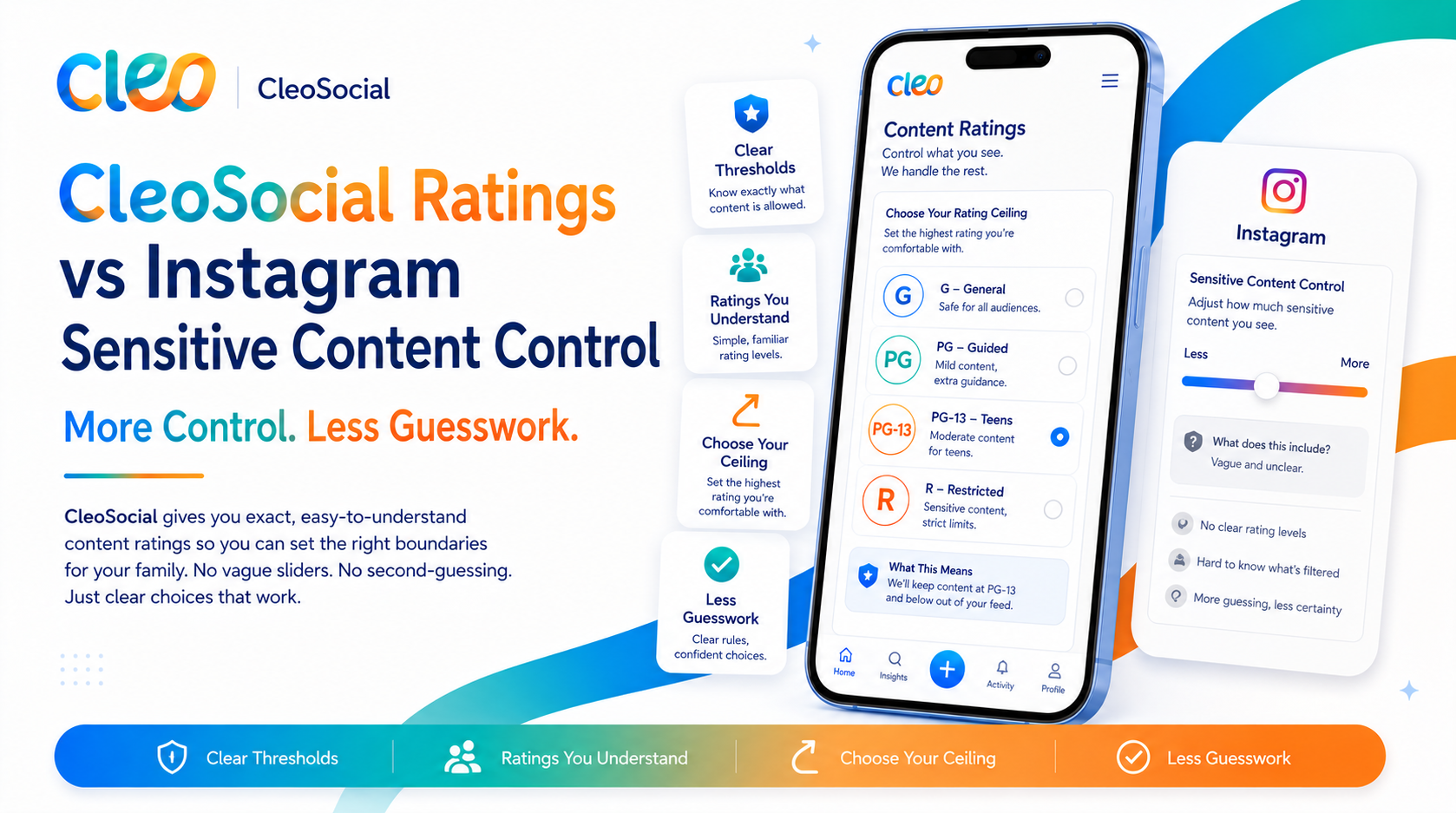
Sensitive-content screens blur or warn on some posts after automated systems or user reports catch them. They are binary (flagged or not), inconsistently applied, and by design reactive — the content is already circulating before the screen appears. There is no scale, and no ceiling you control.
Muted words let you name specific terms you never want to see. Useful, but the burden is entirely on you: you must know in advance what will hurt, name it correctly, and maintain the list forever. Intensity has no vocabulary — you cannot mute "graphic" as a concept.
"Not interested" buttons train an algorithm after exposure. You see the post, then vote against its successors, and the algorithm weighs your vote against its engagement math. Anyone who has tapped it knows how that contest usually goes.
Restricted or sensitive modes are single on/off switches, usually buried in settings, that apply an opaque platform-defined standard. You cannot see the line, move the line, or know what the line caught.
CleoSocial's system differs on every axis at once: it is proactive (rated before the feed, not flagged after), universal (every post, not a sampled few), graduated (four levels, not a binary), transparent (the badge is visible on every post), and yours (the ceiling is a setting you place). No other mainstream feed offers that combination — which is the clearest sign that ratings are not a feature bolted onto CleoSocial. They are what it is.
Common Questions About CleoSocial's Ratings
Do ratings slow down my feed? No. Rating happens in the background before posts reach feeds. You scroll normally — the only difference is the small rating badge and the absence of ambushes.
Can I change my ceiling whenever I want? Yes, any time, in Settings. It is a dial, not a contract. Plenty of people run PG at night and PG-13 during the day.
What happens to posts above my ceiling? They simply do not appear in your feed. They still exist on the platform for users whose settings allow them. Your ceiling shapes your feed, not anyone else's.
Does my own content get rated too? Yes. Every post on CleoSocial gets a rating, including yours. That is what keeps the system honest — the same context applies to everyone's content, in everyone's feed.
Is this the same as a sensitive-content filter on other apps? No. Those filters are reactive and coarse — they act after content is flagged, and they offer little say in where the line sits. CleoSocial rates everything up front on a four-level scale, and you place the line yourself.
What the First Week with a Rated Feed Feels Like
The change is quieter than you might expect, and that is the point.
Day one, you notice the badges. Small rating markers on posts, the way a film poster carries its rating in the corner. You check a few out of curiosity — that heated thread is a PG-13, the cooking video is a G — and then the badges fade into the background the way movie ratings did years ago.
By midweek, you notice something by its absence: you have stopped bracing. On other platforms, most people scroll with a low-level readiness for whatever the algorithm throws next. With a ceiling set, that readiness has nothing to do. The feed's range is known, because you defined it.
By the end of the week, the ratings feel less like a feature and more like a standard — the thing feeds always should have had. That is the reaction the system is designed for. Movie ratings do not feel like technology; they feel like common sense. Ratings on a feed land the same way once you have scrolled with them.
Run the ten-minute feed audit after a week to see it in numbers. The setting is still there in Settings whenever you want to move it. Most people adjust once or twice in the first week, find their level, and stop thinking about it. Control that works well is control you rarely have to touch.
Ratings and Discovery: Exploring Without the Ambush
A fair question: if ratings shape the feed, does discovery suffer? The answer runs the other way.
CleoSocial's Mindful Discovery helps you find new content and creators based on what you have said you want — and every post you encounter there carries its rating too. That means you can explore further, not less, because exploring no longer carries the tax of the unknown. You can wander into a new topic knowing the intensity ceiling you set still holds.
On platforms without ratings, many people quietly narrow their scrolling to a handful of trusted accounts, because venturing beyond them is how you get ambushed. Context restores the confidence to roam. Boundaries, it turns out, are what make open exploration comfortable.
The Bottom Line
CleoSocial's content ratings work the way movie ratings always have: context first, choice second, viewing third. The app's AI rates every post G, PG, PG-13, or R before it can reach a feed. R is filtered by default. You set the ceiling for everything else, and you can change it whenever you like.
You rate movies before you watch them. Your feed finally works the same way.
Download CleoSocial free from the App Store, or visit cleosocial.app to see how ratings look in a real feed.
Ready for Social Media That Respects You?
CleoSocial puts you in control. Content ratings, time limits, and real connections. Free to use, always.