Is CleoSocial Worth It for Screen Time Control? An Honest Assessment
Is CleoSocial worth it for screen time control? If you are trying to scroll less, an app alone will not fix your habits. But the right tools can help. This...
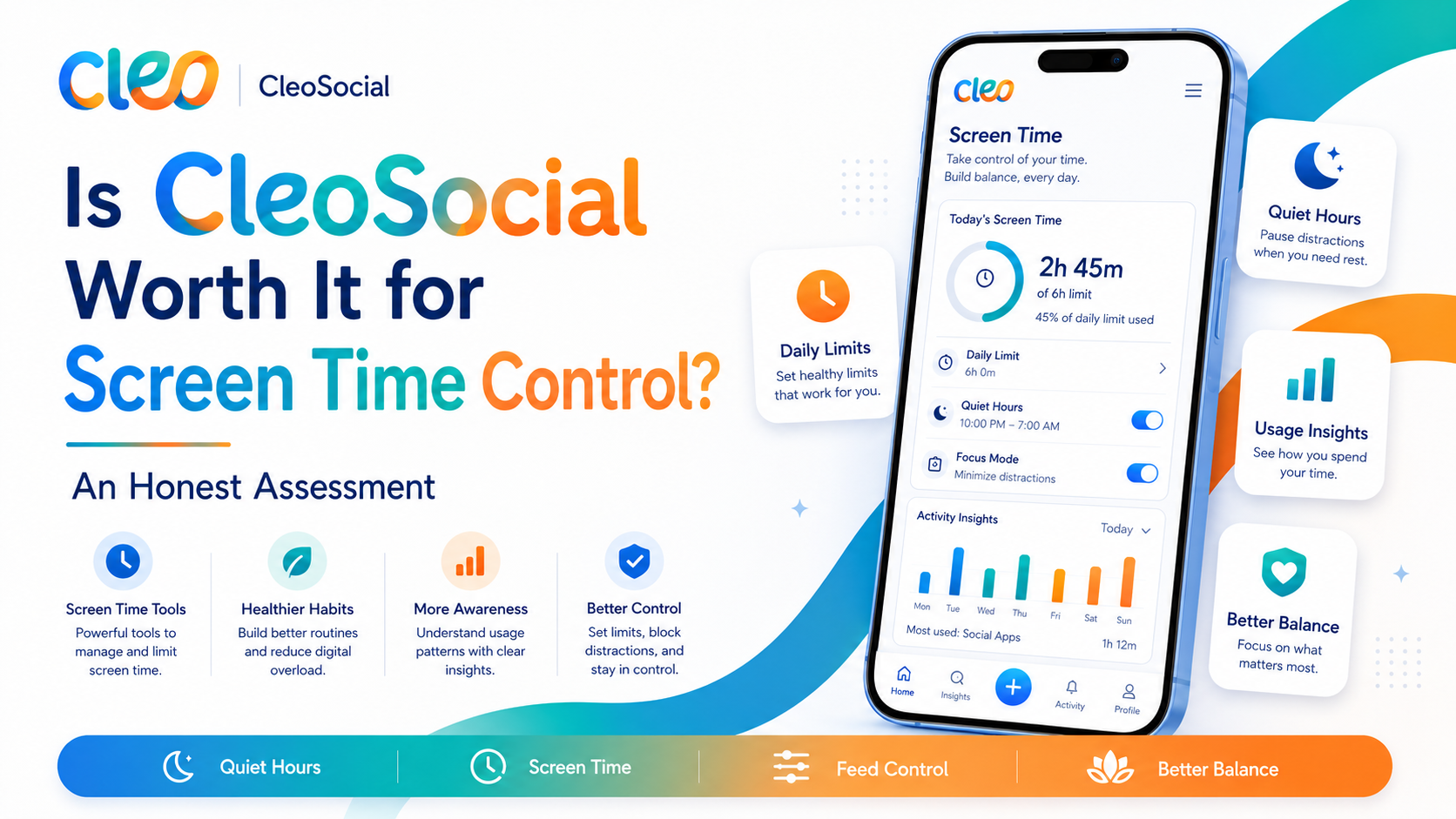
Table of Contents
Is CleoSocial Worth It for Screen Time Control? An Honest Assessment
Is CleoSocial worth it for screen time control? If you are trying to scroll less, an app alone will not fix your habits. But the right tools can help. This article gives you an honest look at what CleoSocial actually does for screen time, what it cannot do. How to decide if it fits your situation.
Is CleoSocial Worth It for Screen Time Control?
The answer depends on what kind of screen time problem you have.
If your problem is the content that pulls you in: CleoSocial addresses this directly. The app rates every post G, PG, PG-13. Or R and filters out R-rated content by default. Posts with upsetting, graphic, or high-intensity content tend to get higher ratings. And those are exactly the posts that pull people into long scroll sessions. Reducing those from your feed can reduce the pull.
If your problem is picking up your phone out of habit: CleoSocial's Quiet Hours feature helps here. You set a window when the app goes quiet — no notifications, no pull to open it. That removes one of the main triggers for habitual scrolling: the notification buzz.
If your problem is something deeper: If you use social media as a way to avoid tasks. Manage anxiety, or fill silence, no social app can fix that alone. CleoSocial makes the experience calmer. It does not address the underlying habits or feelings that drive heavy use. Those need different kinds of work.
What CleoSocial Offers for Screen Time
This is CleoSocial's primary screen-time tool. You set a start and end time. During that window, the app goes quiet — no notifications, no prompts to come back.
Common Quiet Hours setups:
- Bedtime through morning (9 PM to 7 AM)
- During work hours (9 AM to 5 PM on weekdays)
- During a focus block or family time
The difference between Quiet Hours and a basic screen-time reminder on other apps: Quiet Hours is built into the app as a feature you set intentionally. Not a notification you dismiss. It is a softer boundary than locking yourself out of the app. It works with your intention rather than against the app's design.
Feed Control and Content Ratings
Less scrolling time often comes from less compelling content — not because you deleted the app. Because your feed is not as aggressively designed to keep you in it.
CleoSocial's feed is not driven by an engagement-maximizing algorithm. Feed Control and content ratings mean you see what you asked for, not what keeps you hooked. That changes the texture of the experience. A feed that reflects your preferences is still enjoyable. It does not have the same endless-pull quality as an algorithmic feed.
No Dark Patterns
CleoSocial states it does not use dark patterns. Design tricks that make you stay in an app longer than you intended. That means no autoplay that jumps into the next video. No "you have 12 unread notifications" badge designed to spike anxiety, no algorithm choosing content specifically because it provokes strong emotional reactions.
Removing dark patterns does not eliminate screen time. It means the time you do spend is more intentional.
What CleoSocial Cannot Do
It does not lock you out. CleoSocial is not a parental control app or a screen-time enforcer. If you open it during Quiet Hours, you can use it. The feature works because of your own intention, not a technical lock.
It does not track your screen time. CleoSocial does not give you a report showing how many minutes you spent in the app today. For screen-time tracking, use your iPhone's built-in Screen Time feature (Settings → Screen Time).
It does not replace habit change. If you have tried many times to cut back on social media and found it hard. An app is one piece of the puzzle. Pairing CleoSocial with intentional habits — like putting your phone in another room at night. Will work better than the app alone.
How CleoSocial Compares to Other Screen Time Tools
iPhone Screen Time (built-in): Apple's Screen Time lets you set app limits, schedule downtime. See exactly how long you use each app. It applies across all apps on your phone, not just social media. For device-wide screen time control, this is more powerful than CleoSocial.
Other social apps: Most do not have Quiet Hours or a non-algorithmic feed. CleoSocial is unusual in that screen-time-friendly features are built into the core product. Not added as an afterthought.
The two tools are not competitors — they work on different layers. Use iPhone's Screen Time for device-wide limits. Use CleoSocial for a calmer, less addictive social media experience within the time you do choose to spend.
How to Decide If CleoSocial Is Right for Your Screen Time Goals
Ask yourself:
- Is most of my excessive scrolling driven by upsetting or intense content I can not stop watching?
- Do I pick up my phone because I get notifications and just start scrolling?
- Do I want a social app that is less designed to keep me hooked?
If you said yes to two or more, CleoSocial is worth trying. It is free, it is on the App Store, and setup takes about five minutes.
If your screen time issue is device-wide or rooted in deeper habits. CleoSocial is useful but should not be your only tool.
Is CleoSocial Free?
Yes. CleoSocial is free to download from the App Store. There is no subscription and no charge to use the features described above.
The Bottom Line on Screen Time
CleoSocial is a social app designed for people who want a calmer experience. It addresses the pull of intense. Algorithmic content and gives you a real tool (Quiet Hours) to set time boundaries. It is honest about what it does and does not claim to be a miracle fix.
For anyone who wants social media that does not fight against their effort to scroll less. CleoSocial is worth a try.
Download CleoSocial free from the App Store, or visit cleosocial.app to learn more.
How to Use CleoSocial and iPhone Screen Time Together
The most effective setup combines CleoSocial with your iPhone's built-in Screen Time feature. Each tool handles a different layer of the problem.
iPhone Screen Time lives in your phone settings. Go to Settings, then Screen Time. Set a daily app limit for CleoSocial or all social media combined. When you hit the limit, the app needs a passcode to continue. You set the passcode. This gives you a hard stop.
CleoSocial handles the quality of your time in the app. Even within your daily limit, what you see matters. The content rating filters out posts most likely to start a scroll spiral. Quiet Hours removes notification triggers during times you want to step away.
Together: Screen Time limits how long you are in the app. CleoSocial makes the time you do spend calmer and less addictive. Use both for the most control.
The Role of Notifications in Screen Time Problems
Notifications are a key driver of excessive screen time. Every alert is an invitation to open the app. Most people look at the notification and keep scrolling. The notification was just the door. The feed kept them in.
CleoSocial's Quiet Hours remove notifications during the window you set. No notification means no door to walk through. You have to actively decide to open the app. That one change — turning a passive behavior into an active decision. Reduces unplanned scrolling significantly for many people.
Set Quiet Hours to cover the times you want to protect. Bedtime is the most important. Morning is next. Those two windows cover when most unplanned scrolling happens.
What CleoSocial Can Honestly Claim About Screen Time
CleoSocial is designed to help you use it less. Quiet Hours is built in. The feed is not engineered to maximize your time. Feed Control lets you remove content that pulls you into long sessions.
But it cannot claim to reduce your screen time without your involvement. You have to set Quiet Hours. You have to use Feed Control. You have to close the app when you are done. The app gives you tools. You use them.
The app gives you the tools. You do the work of using them.
Signs That CleoSocial Is Helping
After a week or two of using CleoSocial. Here are signs that the app is doing what it should.
You open your phone in the morning and do not immediately feel anxious about what you might see in your feed. Your feed feels calmer and less overwhelming. You find yourself closing the app because you have seen enough. Rather than because you forced yourself to stop. Your Quiet Hours window is passing without you opening the app.
If you are seeing those signs, the app is working. Keep your settings where they are or make small adjustments to fine-tune.
If you are not seeing those signs after two weeks. Think about whether you are using the settings fully. Are Quiet Hours set? Is Feed Control configured to remove your most triggering content categories? Is your content rating set to a level that removes the most intense posts?
Is CleoSocial Worth It for Screen Time Control? Final Answer
Yes, with honest expectations. CleoSocial is worth it if you want a social app that is not designed to capture as much of your time as possible. The Quiet Hours feature, the non-algorithmic feed. The content rating system all work in that direction.
It is not a hard lock on your screen time. For hard limits, use iPhone Screen Time alongside CleoSocial. Together they cover both the quantity and the quality of your social media time.
Download CleoSocial free from the App Store or visit cleosocial.app to learn more.
Ready for Social Media That Respects You?
CleoSocial puts you in control. Content ratings, time limits, and real connections. Free to use, always.

Continue Reading
Best Social Media App for Digital Wellbeing: How CleoSocial Compares
June 25, 2026
Can CleoSocial Help You Doomscroll Less? Is It Worth Downloading
June 2, 2026