How to Switch from Instagram to CleoSocial (Without Losing What You Love)
A practical guide to moving your daily scroll from Instagram to CleoSocial: what transfers, what doesn't, the two-app setup, and a realistic two-week plan.
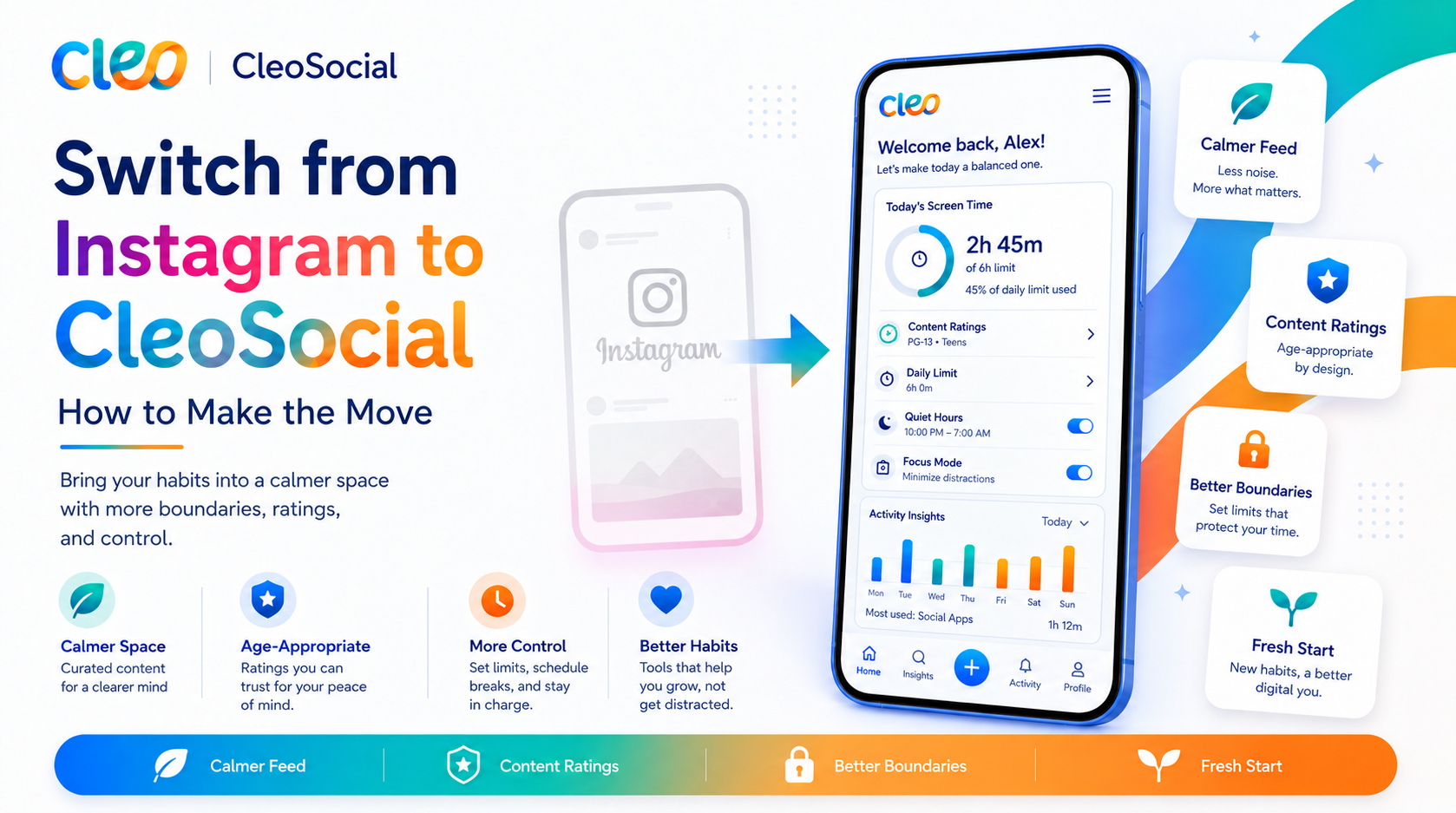
Table of Contents
How to Switch from Instagram to CleoSocial (Without Losing What You Love)
Nobody actually "switches" social apps the way they switch phone carriers — one day on the old network, the next day on the new one, contract cancelled. That framing is why most switching guides are useless. Real people migrate the way you move houses: gradually, keeping some things in both places for a while, and occasionally going back for something they forgot.
This guide describes that real process for moving your daily scroll from Instagram to CleoSocial. It is honest about what transfers, what does not, and what a realistic timeline looks like.
First, Decide What You Are Actually Moving
Instagram is several products in one app. Before switching anything, sort your usage into three buckets:
The scroll. The open-the-app-and-browse time — feed, Reels, Explore. For most people this is 80% of their Instagram minutes and the source of most of the fatigue. This is the part CleoSocial replaces, and replaces well.
The people. Specific friends and family you follow, DM threads that live in Instagram, Close Friends stories. This transfers only as fast as your people move. Plan to keep it on Instagram for now.
The utility. Businesses you check, saved posts, shopping. This stays on Instagram indefinitely, and that is fine.
The migration goal is not deleting Instagram. It is moving bucket one — the daily scroll, the time-and-attention bucket — to an app whose feed follows your rules. If a guide tells you to delete your account on day one, it is writing for a fantasy person.
Step 1: Set Up CleoSocial Properly (15 Minutes)
A default install judged against a years-old Instagram habit loses on familiarity. Configure it first:
- Download CleoSocial from the App Store and create your account — the signup flow takes about five minutes.
- Set your rating ceiling. Every post carries a G, PG, PG-13, or R rating assigned by the app's AI before it reaches your feed; R is filtered by default. Most people start at PG-13. This one setting is the biggest single difference from Instagram — here is how the ratings work.
- Tune Feed Control. Tell the feed what you want more and less of — the topics you actually came for.
- Set one Quiet Hours window. Pick the hours Instagram most reliably eats. For most people that is 9 or 10 PM onward. Full Quiet Hours guide here.
Step 2: Rearrange Your Home Screen (2 Minutes)
This step sounds trivial and does more than any other. Put CleoSocial where Instagram was; move Instagram into a folder, off the first screen. You are not deleting anything — you are making the default reach land on the app you chose. Habits run on placement far more than intention.
Step 3: The Two-Week Split
Run this deliberately for two weeks:
- CleoSocial is your scroll app. Boredom, waiting rooms, couch — open CleoSocial.
- Instagram is your errand app. Open it on purpose, for a person or a task: check a DM, view a friend's story, look up a business. Do the errand, leave.
The distinction to hold: browsing happens on CleoSocial, errands happen on Instagram. The first few days you will fail at this occasionally out of pure muscle memory. That is normal and does not reset the clock.
What most people notice by the end of week one: Instagram sessions get shorter on their own, because errands end and scrolls don't. What they notice by week two is the contrast when they do fall into an Instagram scroll — the intensity you had acclimated to becomes visible once it is no longer your daily baseline.
What Transfers, What Doesn't
Transfers well: the habit itself (scrolling is scrolling), your interests (Feed Control covers the topics you followed hashtags for), your evenings (better than transfers — Quiet Hours upgrades them).
Transfers slowly: people. Your feed here will not contain your college roommate until your college roommate joins. Early on, CleoSocial's feed is more discovery than reunion. If a calm feed matters enough to you, tell one or two people — the app grows the way every network grew, one invited friend at a time.
Does not transfer: DM history, saved posts, Close Friends mechanics, shopping. Instagram keeps these. That is what the errand app is for.
The Honest Trade
Here is the trade in one paragraph, because you should make it with open eyes. Instagram offers a bottomless, expertly engineered feed containing everyone you know — optimized to keep you in it, indifferent to what it shows you along the way. CleoSocial offers a feed that answers to your settings — rated before you see it, quiet when you said so — with a network that is still growing. You are trading maximum content for maximum say. People who make that trade knowingly tend to keep it; people who expect a calmer Instagram with identical contents by Friday do not.
If you want the deeper comparison before committing the two weeks, we wrote a full CleoSocial review including what the app doesn't do.
Five Switching Mistakes to Avoid
Deleting Instagram on day one. It feels decisive and it backfires. The people-and-errands bucket still lives there, and when you inevitably need it, reinstalling feels like a relapse and sours the whole experiment. Demote the app; don't banish it.
Judging CleoSocial's feed on day one. Feed Control needs your input and the first session is the least-tuned the app will ever be. The fair comparison is your week-two feed against Instagram — not your minute-two feed.
Skipping Quiet Hours "for now." The evening window is where the migration pays most of its rent. Setting it later means spending your first two weeks without the feature most likely to convince you. Set it during setup, even if the window is modest.
Expecting the same dopamine. Instagram's intensity is engineered; the ambient stimulation of a maximized feed is part of what you are leaving. The first few days can feel quiet in both the good and the withdrawal sense. That settles. What replaces it — scrolling without bracing — is quieter but it compounds.
Going alone when you don't have to. The most common regret we hear from switchers is not telling anyone for months. One friend on the platform changes the early experience more than any setting. Send the invite in week one, not after you have "fully decided."
If You Only Half-Switch, That Still Counts
A note for the person reading this with skepticism: partial migration is a legitimate end state, not a consolation prize. If all you ever move to CleoSocial is the 10 PM scroll — if Instagram keeps daytime and CleoSocial takes the night shift with a PG ceiling and Quiet Hours at 10:30 — you have still removed the most damaging hour of feed exposure from your day. Optimizing the worst hour beats abandoning the whole plan because total conversion felt too big.
Migrations that stick are usually the ones that were allowed to be incomplete.
After Two Weeks: The Review
At the end of the split, ask three questions:
- Where did the reflexive opens land? If your thumb now finds CleoSocial, the migration already happened; the rest is paperwork.
- How do the evenings feel? This is where Quiet Hours either earned its place or didn't.
- What did you miss? Be specific. If the answer is "certain people," that is the two-app setup working as designed, not a failure. If the answer is "the infinite intensity," then you have learned something real about what you want from a feed — and CleoSocial may not be it.
Most people land in the two-app steady state: CleoSocial for the daily scroll, Instagram as a smaller, purposeful tool. Total screen time usually drops without anyone trying, because errands are finite and only one of your apps is engineered to extend sessions.
The Short Version
Set up CleoSocial with a ceiling, Feed Control, and one Quiet Hours window. Swap the home-screen positions. For two weeks: browse on CleoSocial, do errands on Instagram. Then review. No account deletion, no cold turkey, no willpower program — just moving your attention to the feed that answers to you and letting the results argue for themselves.
Download CleoSocial free from the App Store, or visit cleosocial.app to see the feed before you commit the fifteen minutes.
Ready for Social Media That Respects You?
CleoSocial puts you in control. Content ratings, time limits, and real connections. Free to use, always.

Continue Reading
Leaving TikTok? What CleoSocial Replaces — and What It Refuses To
August 25, 2026
CleoSocial vs Snapchat: Disappearing Messages or a Feed You Can See Coming?
September 1, 2026