CleoSocial vs Screen-Time Apps: Which Actually Helps You Scroll Less?
CleoSocial vs screen-time apps. If you are trying to spend less time on social media, you have probably looked at both options. Screen-time apps like...
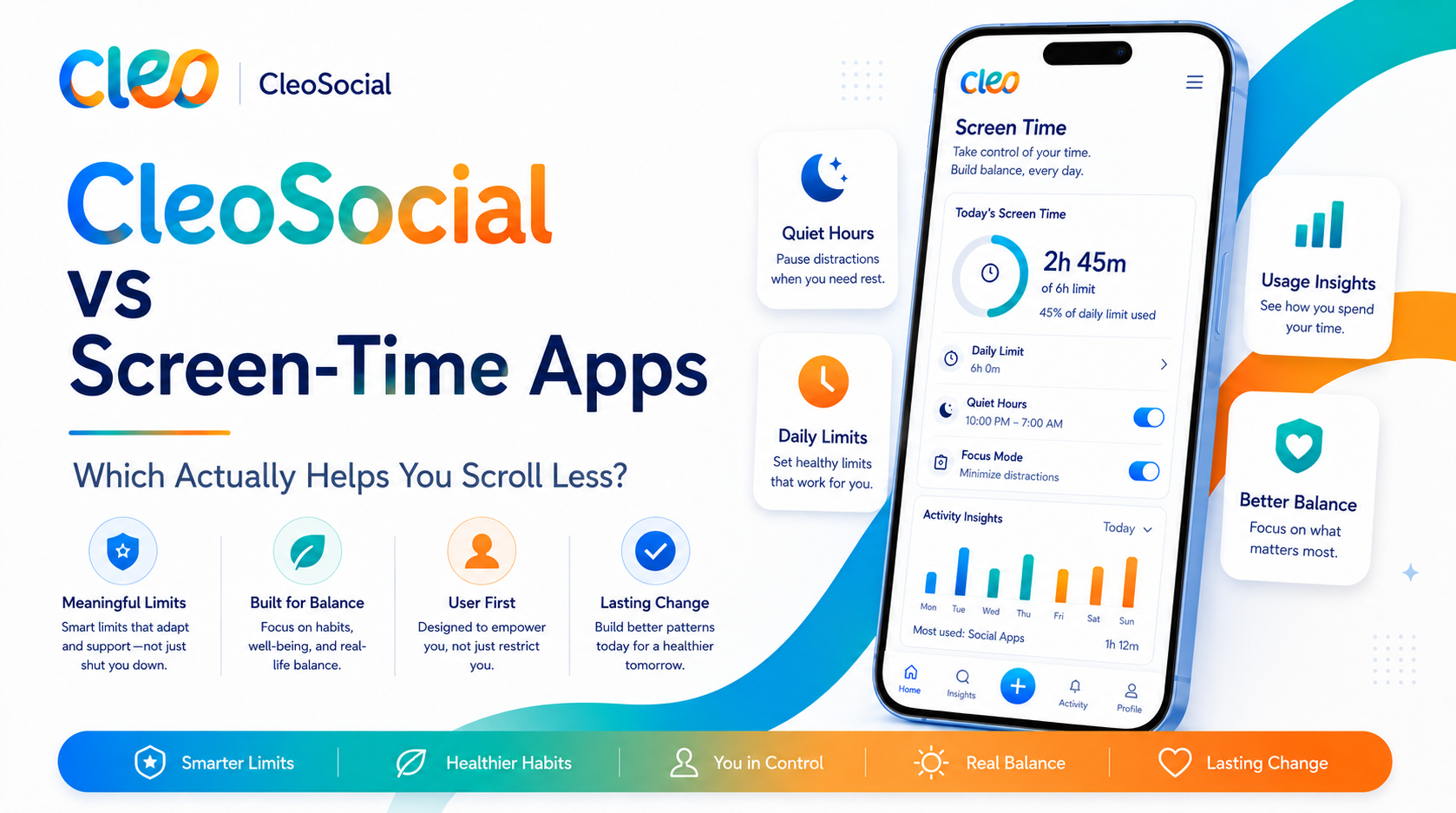
Table of Contents
CleoSocial vs Screen-Time Apps: Which Actually Helps You Scroll Less?
CleoSocial vs screen-time apps. If you are trying to spend less time on social media, you have probably looked at both options. Screen-time apps like Apple's Screen Time or third-party tools set hard limits on how long you can use your phone. CleoSocial is a social media app with built-in controls that make the experience less addictive.
These are different tools solving different parts of the problem. This article explains the difference so you can decide what fits your situation.
CleoSocial vs Screen-Time Apps: What Each One Does
Screen-Time Apps
Screen-time tools work at the device or account level. Apple Screen Time, Google Family Link, and others track how long you spend in apps. They enforce time limits. When you hit your daily limit, the app locks until the next day.
Key features of screen-time apps:
- Set daily time limits per app (e.g., 30 minutes on social media)
- Block categories of apps during certain times (e.g., no social media during school)
- Show detailed reports of app usage by category
- Allow parents to manage teens' settings remotely
What they do not do: they do not change what you see inside the app. You might have 30 minutes of TikTok. During those 30 minutes, you are still watching an algorithm-optimized feed designed to keep you hooked.
CleoSocial
CleoSocial is a social media app. You sign up, build a feed, and scroll. Just like any social app. The difference is in the design:
- Every post is rated G, PG, PG-13, or R by AI guardian Cam. R-rated content is filtered by default.
- Feed Control lets you set what types of content appear.
- Quiet Hours lets you block app notifications during a time window you choose.
- The app explicitly does not use dark patterns or engagement-maximizing algorithms.
What it does not do: it does not enforce a hard time limit. It does not lock you out after a set number of minutes.
The Core Difference
Screen-time apps control how much time you spend. CleoSocial changes the quality of the time you spend.
An analogy: screen-time apps are like a parking meter. They tell you your time is up and make you leave. CleoSocial is like replacing a fast-food restaurant with a calmer sit-down spot — you still eat. The experience is less designed to override your judgment.
Both approaches help, but they help differently.
When Screen-Time Apps Work Best
Use a screen-time tool when:
- You want a hard limit that enforces itself (you do not trust yourself to stop voluntarily)
- You are setting limits for a child or teen and want to control it remotely
- You want detailed reports showing exactly how long you spend on each app
- The issue is device-wide, not just social media
Apple's built-in Screen Time is a good starting point. It is free. It works across all apps. It gives you a daily usage breakdown. According to Apple support documentation, it allows app limits, downtime scheduling, and content restrictions.
When CleoSocial Works Best
Use CleoSocial when:
- Your problem is that social media content keeps pulling you in (not just how long you are on it)
- You want a social experience that is not designed to maximize your screen time
- You want to keep using social media but with a calmer feed
- Quiet Hours is useful for you as a soft boundary rather than a hard lock
CleoSocial is not a watchdog. It does not stop you from scrolling beyond Quiet Hours if you open the app manually. But it removes most of the design tricks that make social media hard to put down.
Can You Use Both?
Yes — and for many people, this is the right approach.
Set up Apple Screen Time (or another tool) to track your total social media time and set a daily limit if you want one. Use CleoSocial as your primary social app. Where the content is rated and filtered and the feed is not engineered to keep you hooked.
Together. These tools address both sides of the problem: how much time you spend and what you experience during that time.
What About Deleting Social Media Entirely?
Some people find that deleting all social media is the right move. If you have tried every tool and still feel like social media is harming you. Is a valid choice.
But many people want to stay connected — to friends, family, news. Content they enjoy — without the negative parts of social media. CleoSocial is built for those people. It is not about quitting social media; it is about using it on your own terms.
Is CleoSocial Free?
Yes. CleoSocial is free to download on the App Store. There is no subscription. Apple's Screen Time is also free and built into every iPhone.
CleoSocial vs Screen-Time Apps: The Short Version
| | Screen-Time Apps | CleoSocial | |---|---|---| | Controls time spent | Yes | Soft (Quiet Hours) | | Controls content seen | No | Yes (AI ratings + Feed Control) | | Enforces hard limits | Yes | No | | Designed to reduce addiction | No | Yes | | Device-wide or app-specific | Device-wide | Single app | | Free | Yes (Apple Screen Time) | Yes |
Which Should You Choose?
If you want to limit total screen time, use Apple Screen Time or a similar tool.
If you want social media that is less designed to hook you, use CleoSocial.
If you want both — a time limit and a calmer feed — use both.
Download CleoSocial free from the App Store. Or visit cleosocial.app to learn more about how the app works before you sign up.
Choosing the Right Tool for Your Specific Problem
Be honest about which problem you have. Screen time tools and CleoSocial solve different things. Picking the wrong one means the problem stays.
If your problem is that you spend too much total time on your phone. Across all apps, not just social media — a screen time tool addresses that. Apple Screen Time can limit any app or category of apps. It works regardless of which apps you use.
If your problem is that social media specifically makes you feel anxious, drained, or upset. And you want to keep using social media but in a calmer way — CleoSocial addresses that. It changes the quality of your social media experience, not just the duration.
If your problem is both. You spend too much time and the content makes you feel bad — use both tools together.
Using Apple Screen Time With CleoSocial
Here is a setup that uses both.
Open Settings on your iPhone. Tap Screen Time. Tap App Limits. Tap Add Limit. Select Social Networking as a category or find CleoSocial specifically. Set a daily limit of thirty or forty-five minutes. Tap Add to save.
Now open CleoSocial. Go to Settings inside the app. Set your content rating level. Set Quiet Hours to cover bedtime and any other windows you want to protect. Adjust Feed Control to remove content categories that tend to extend your sessions.
From this point, Screen Time limits how long you are in CleoSocial. CleoSocial shapes what you see during that time. The combination addresses both duration and quality.
For Parents: Which Tool to Use
Parents managing their children's device use often need both types of tools.
Screen time controls at the device level — Apple Screen Time or Google Family Link. Let you set limits that apply across all apps. These are useful for setting bedtime, school hours, or overall daily limits. They work regardless of which apps the child is using.
CleoSocial provides content protection inside one specific app. For children who are already using social media. CleoSocial's content rating gives them a filtered feed that is safer than what most platforms provide by default.
Use device-level controls for the overall time budget. Use CleoSocial for the content quality inside that budget.
The Table Revisited
Here is the practical takeaway from the comparison.
Screen time apps are blunt. They track time. They cut you off at the limit. That bluntness is what makes them useful.
CleoSocial is more precise. It removes the design features that make social media addictive. Upsetting content chosen by algorithms. Constant notifications. The endless feed. It removes these without removing social media from your life.
Most people need both tools. Start with CleoSocial for feed quality. Add Screen Time limits if you want a harder cap.
CleoSocial vs Screen-Time Apps: What to Do Now
If you have read this far. You probably have a problem with social media that you want to solve. Here is the most direct path forward.
Download CleoSocial from the App Store today. It is free. Set your content level, Quiet Hours, and Feed Control during setup. This handles content quality right away.
If after a week you find your total time in CleoSocial is still higher than you want. Add an Apple Screen Time limit on top.
Visit cleosocial.app to learn more, or go straight to the App Store and search for CleoSocial.
Ready for Social Media That Respects You?
CleoSocial puts you in control. Content ratings, time limits, and real connections. Free to use, always.

Continue Reading
CleoSocial vs Snapchat: Disappearing Messages or a Feed You Can See Coming?
September 1, 2026
CleoSocial vs Reddit: Chosen Communities or a Governed Feed?
August 4, 2026